Newest GUI for FFMPEG in xubuntu 20.04 and xubuntu 18.04
Of course in standart repositories ubuntu you can find GUI for FFMpeg.
But, I very strong want create one more and I decide do not deny yourself the pleasure.
This GUI for FFmpeg:
a) Quite beautiful, which is generally a rarity for my programs
b) May convert *.ts, *.mp4, *.mts в *.avi with codec H264. You can create queue from your files and go sleep.
c) Skill extract mp3 audio from this formats.
d) This HTML5 application.
After install in your xubuntu 20.04 or 18.04 in The Whisker menu «Multimedia» appearance item «FFMpeg Videoconverter».
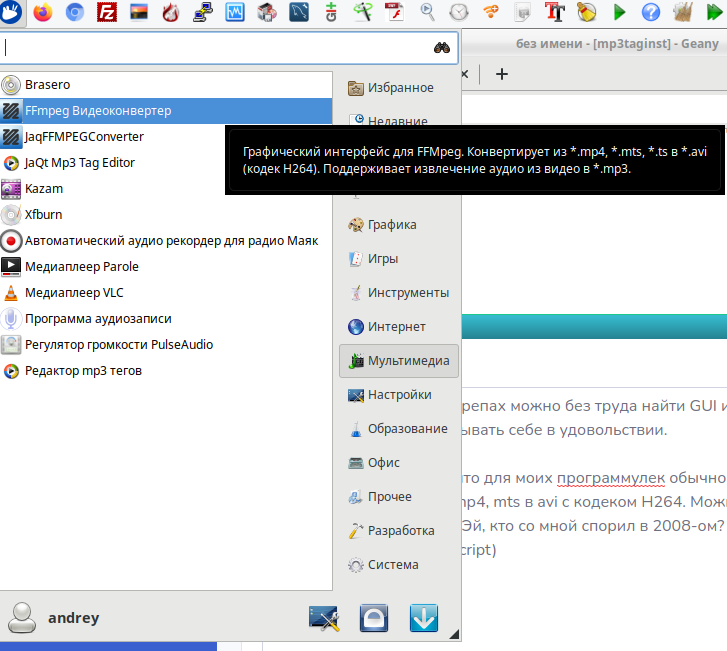 FFMpeg Videoconverter in Whisker menu
Run it you can select some mp4, ts or mts files and convert it to avi or mp3. Just. Files may be more thean one.
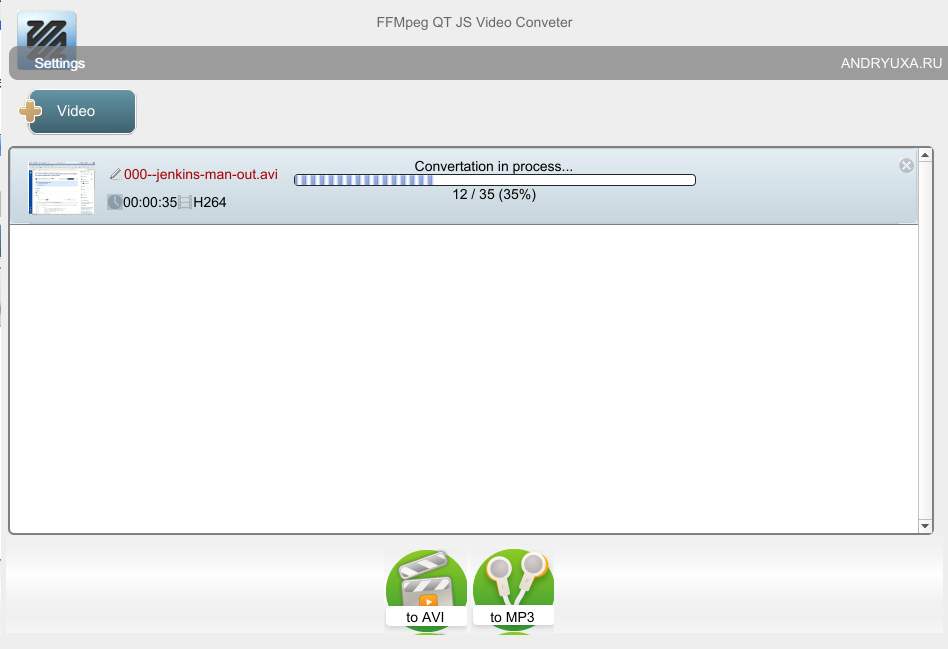 GUI inspired FreeMake
This design was inspired FreeMake application for Windows.
I do not think that any of its authors will ever see my program, but just in case I will write here: if you think that I somehow infringed on your rights, find me on twitter or facebook with query «FFMPEG GUI Qt 5 WebView based» and I will discard this design immediately.